Menno - M. Avatar Setting Configuration
M. Avatar Setting allows you to easily adjust various settings for the Menno avatar. This page explains the Menno-specific configuration options.
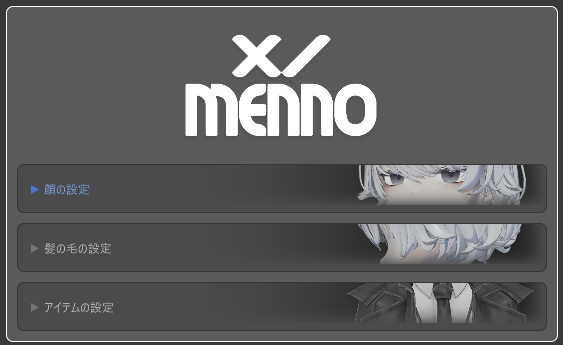
What is M. Avatar Setting?
M. Avatar Setting is a tool for easy customization of the Menno avatar. You can adjust facial expressions, hair color, costumes, and more using an intuitive UI.
Configuration Categories
The following configuration categories are available in M. Avatar Setting for the Menno avatar:
- Face Settings - Adjustment of expressions and blend shapes
- Hair Settings - Adjustment of hair color and shape
- Item Settings - Configuration of costumes and accessories
For details on each configuration category, click on the respective links.
How to Use
- Place the Menno avatar in a scene
- Open the M. Avatar Setting window (Details on how to open it)
- Expand each configuration category as needed and adjust the parameters
- Settings are automatically saved and will be applied in the future
Notes
- Settings are specific to the Menno avatar and will not apply to other avatars
- There may be conflicts with M. Avatar Setting for Emmelie, so it is recommended to import in a new project.