Hair Settings
You can adjust hair color and hairstyles using blendshapes.
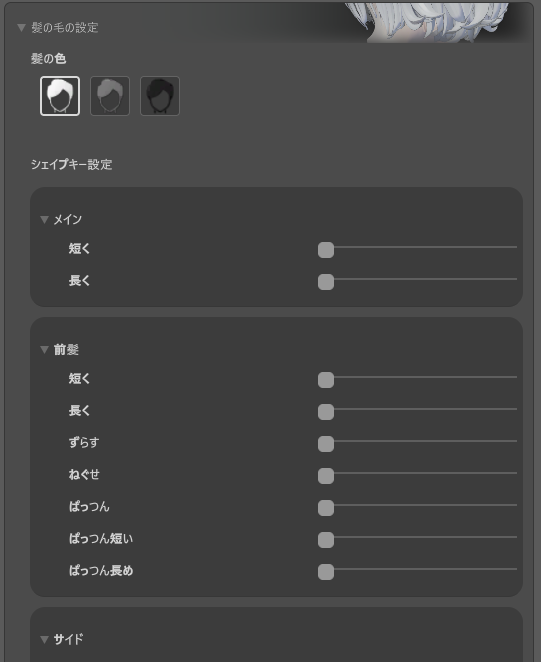
Usage
- Open the M. Avatar Setting window
- Select a Menno avatar
- Expand the "Hair Settings" section
- Click the color button, or expand a category and adjust the slider
Settings
| Item | Options | Notes |
|---|---|---|
| Hair Color | Default / Gray / Black | Changes immediately upon clicking the button |
| Hairstyle | Category-specific sliders | Adjusts hair blendshapes |
The display language (Japanese/English) can be changed using the language toggle button in the top-right corner of the window.
Note
Extreme settings may affect appearance and physics calculations.
Reset
Click the "Reset" button, then select "Yes" in the confirmation dialog to restore all hair settings to their defaults.